Update
Information from Concept Caméléon arrives automatically.
The portal uses information from Concept Caméléon to provide management views, customer follow-up, communications and ready-to-use documents.
Explore everyday tools, including contract questionnaires and documents for signature, with examples from the portal.
Products, quantities, customers, invoices, orders, suppliers, payments and other authorized information stay up to date for the portal’s tools.
Information from Concept Caméléon arrives automatically.
The portal presents it clearly for your business.
Each team finds what it needs to work.
Sales, gross margin, average invoice, inventory, payments, top customers and trends.
Find a product, customer, order or invoice and see the information connected to it.
Contacts, activities, tasks, opportunities, emails and newsletters in one customer history.
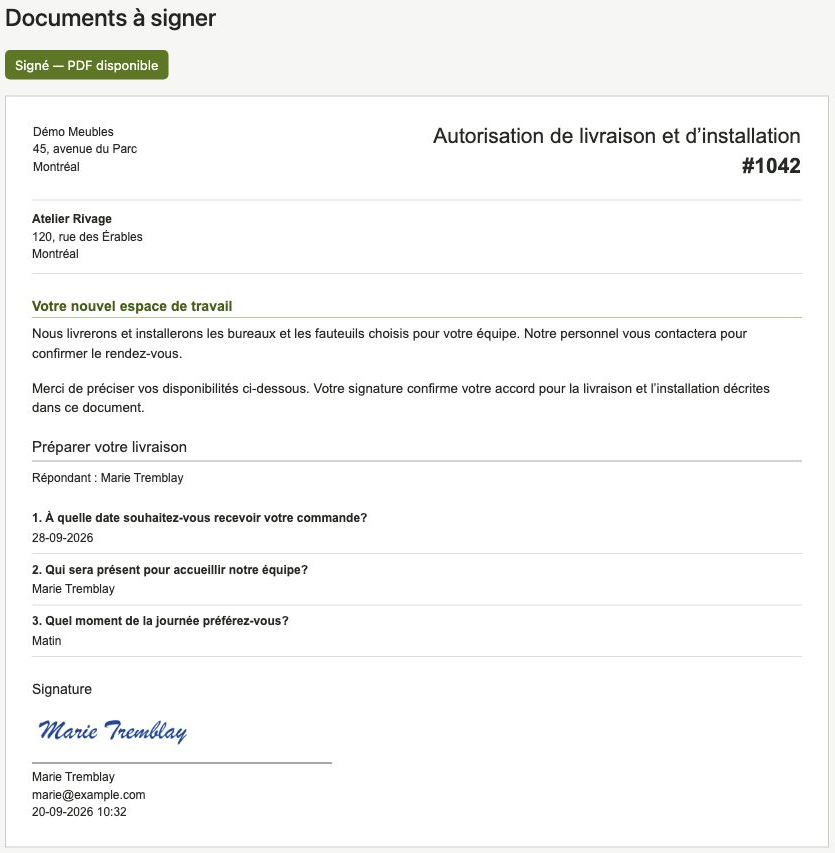
Prepare a contract from an order or use a reusable document. Collect answers and signatures, then keep the final PDF in the customer file.
OpenAI understands the request in your own words. Connect 360° ss then prepares the table or chart in the portal.
Customer, supplier and employee spaces with access suited to each role.
Add a questionnaire to your contract and choose who will answer it. A preferred delivery date, a contact person or a service choice: you decide which details to collect.
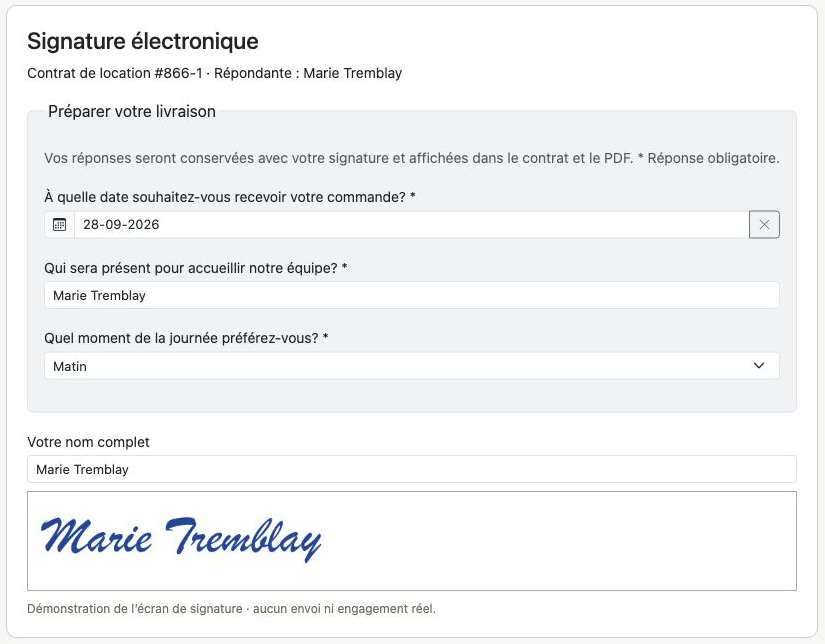
Work authorizations, service confirmations or other business documents: create English and French templates, then prepare a separate copy for each customer.
Select the template, language and recipient. Add attachments and a questionnaire when needed.
The customer opens the invitation, reads the document, answers the questions and signs. No portal account is needed.
Track deliveries, find the signature and answers, then download the signed PDF. Follow-up remains linked to the customer in the CRM.
Your business chooses the features and information available to each person.
A focused presentation helps select the features and access your teams need.